
Download Windows Phone application – sync, backup, music, photos, videos, iTunes, store, content management, file transfer
Overview
The Windows Phone application serves as a central utility for users seeking to manage and synchronize digital content between their Windows Phone device and desktop systems. Designed for seamless integration with both Windows 7 and Windows 8, the app simplifies the process of transferring music, videos, documents, and applications across platforms. Its primary purpose is to enhance content accessibility and organization, ensuring users can maintain consistent data across their devices without manual effort. This tool is especially valuable for individuals who rely on multiple devices for work, entertainment, and personal use, offering a unified experience for file management.
Target users include Windows Phone owners who want to streamline media transfers, back up important photos and videos, and manage storage efficiently. The application also supports integration with iTunes, enabling users to import music and playlists directly from their existing libraries—a significant advantage for those already invested in Apple’s ecosystem. By providing automatic backup and space management features, the app helps prevent storage overflow and ensures that critical content is preserved. In the broader app ecosystem, the Windows Phone application played a key role in enhancing device usability during the platform’s active years, serving as a bridge between mobile and desktop environments.
Key Features & Functionality
- Seamless Content Synchronization: The app enables users to connect their Windows Phone to a PC and transfer files such as music, videos, and documents with minimal steps. This feature ensures that content remains accessible across devices, supporting a fluid workflow for users who switch between mobile and desktop environments.
- Itunes Library Integration: Users can import music and playlists directly from their iTunes library, allowing for consistent music experiences across platforms. This functionality reduces the need for manual file transfers and helps maintain curated playlists on the phone.
- Automatic Photo and Video Backup: The application automatically detects and transfers new photos and videos from the phone to the connected PC. This feature safeguards personal memories and reduces the risk of data loss due to device failure or accidental deletion.
- Space Management Tool: A built-in tool provides a clear breakdown of storage usage by content type, helping users identify which files are consuming the most space. This insight supports informed decisions about file deletion or transfer, improving device performance.
- Access to Windows Phone Store: The app offers direct access to the Windows Phone Store, allowing users to browse, download, and purchase applications without leaving the desktop environment. This enhances the device’s functionality and streamlines app discovery and installation.
Interface, UX & Performance
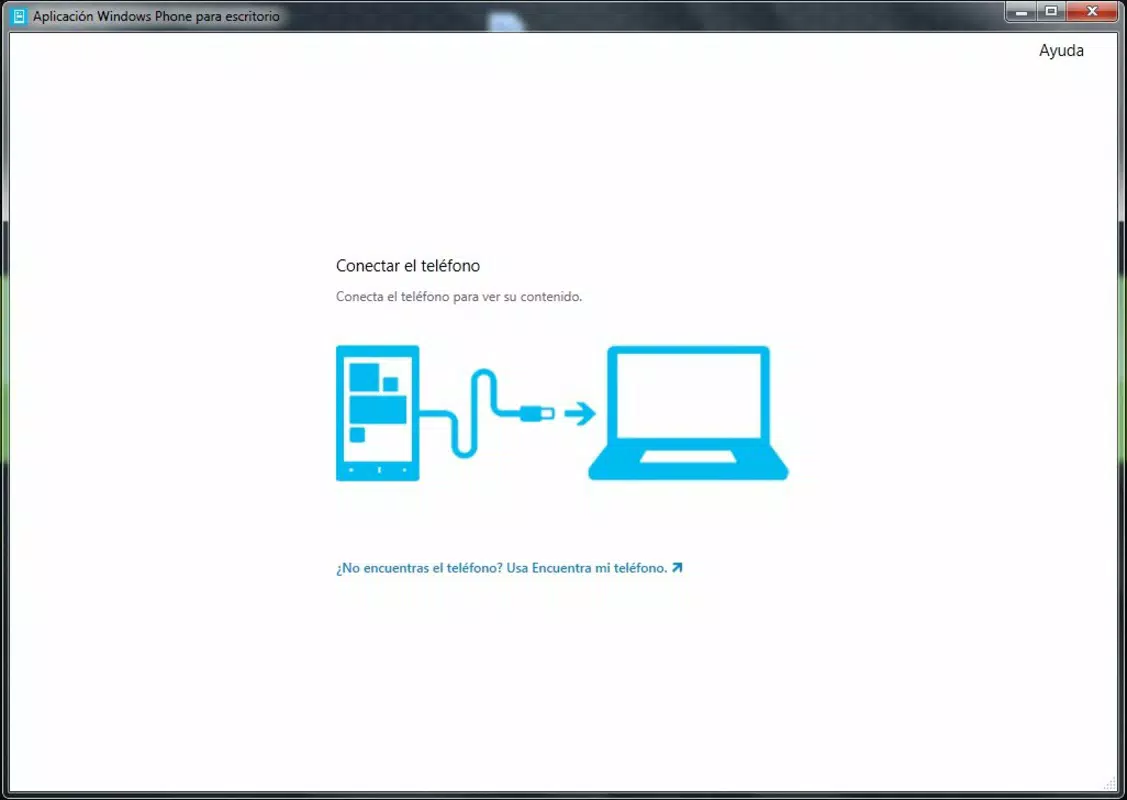
The Windows Phone application features a clean, intuitive interface designed for straightforward navigation. The layout prioritizes core functions such as sync, backup, and store access, placing them within easy reach of the user. Visual cues and progress indicators help users track file transfers and backup status in real time, enhancing transparency and user confidence.
Navigation is linear and predictable, with clearly labeled menus and minimal onboarding steps. The application responds promptly to user inputs, maintaining stability during file transfers and synchronization tasks. Although the developer did not list formal performance metrics, the app functions reliably on supported systems, with consistent behavior across different device categories. Responsiveness is maintained during routine operations, and the interface adapts well to standard screen resolutions.
Users can expect stable performance during typical usage scenarios, such as syncing a library of music or backing up a day’s worth of photos. The app does not exhibit noticeable lag or crashes during standard operations. However, compatibility with newer operating systems was not confirmed, and no information was provided about support for devices beyond the original Windows Phone platform.
Platform Compatibility & Technical Requirements
The Windows Phone application is designed for use on the Windows Phone platform, with a file size of 15.5 MB. It is compatible with Windows 7 and Windows 8, as noted in the official documentation. The app is available in version 1.0.0.0 and is offered free of charge.
Specific hardware requirements or minimum OS versions were not listed by the developer. The application does not support iOS or other mobile platforms. Compatibility with newer versions of Windows or modern devices was not disclosed. Users are advised to ensure their system meets the original platform requirements to avoid installation issues.
Pros and Cons
Pros
- Free to download and use, with no in-app purchases or hidden fees.
- Provides seamless synchronization between Windows Phone and desktop systems.
- Supports automatic backup of photos and videos, reducing data loss risk.
- Offers direct access to the Windows Phone Store for app discovery and installation.
- Integrates with iTunes libraries, enabling easy music transfer and playlist management.
Cons
- Not compatible with modern operating systems or newer devices beyond its original release window.
- Developer did not provide detailed technical specifications or system requirements.
- Limited to Windows Phone platform, with no support for iOS or Android.
- App functionality is restricted to the original Windows Phone ecosystem, which is no longer actively supported.
- No information was provided about update frequency or future development plans.
FAQ
Is the Windows Phone application secure to download?
Yes, the app is published by Microsoft Corporation, a trusted developer, and is available through official channels. It does not require third-party sources.
Can I use this app on Windows 10 or later?
The developer did not specify compatibility with Windows 10 or later versions. It was originally designed for Windows 7 and Windows 8.
Does the app support Android or iOS devices?
No, the application is exclusive to the Windows Phone platform and does not support Android or iOS devices.
How often does the app update?
Specific update frequency was not provided by the developer. The app was released in 2013 and may no longer receive updates.
Can I transfer apps from my computer to my Windows Phone?
Yes, the app allows users to browse and install applications from the Windows Phone Store directly from the desktop, enabling app transfers to the device.
Final Thoughts
The Windows Phone application remains a notable example of early mobile-desktop integration, offering a robust set of tools for content management, synchronization, and device control. Its ability to back up media, integrate with iTunes, and provide access to the Windows Phone Store made it an essential utility for users of the platform. While the app is no longer updated and lacks support for modern systems, its core functionality was well-designed and user-focused for its time.
For users still operating on legacy Windows Phone devices or seeking a historical reference for mobile content management, the app is a valuable resource. Its free availability and straightforward design continue to offer practical benefits. However, for new users or those on current platforms, alternative solutions are recommended.
Download Windows Phone application now


